Extract values from the DOM
Read data out of the page so you can assert on values you don't know up front.
The matchers from the last two lessons cover the common case: locate something, assert on it directly. They compare against something you already know: a fixed string, a count, a role.
Often you don't know the value up front. You click a random product and need to confirm that same product shows up in the cart. You sort by price and need to verify the order. The value only exists at runtime, so read it off the page first, then assert on it.
Extract a single value
locator.innerText() reads the visible text of a single element. It's the one I reach for most often.
const productHeading = page.getByRole("heading", { level: 2 });const productName = await productHeading.innerText();const cartContainer = page.getByTestId("cart");await expect(cartContainer.getByText(`1x, ${productName}`)).toBeVisible();productName carries the value across pages so you don't have to hard-code it.
Unlike web-first assertions, innerText() and friends do not auto-wait.
They snapshot the DOM at the moment you call them. Make sure the elements are
settled first (typically by awaiting an assertion on the parent or by awaiting
a navigation).
Three more readers handle values innerText doesn't see. textContent returns everything in the source: hidden text, raw whitespace, etc. Given const heading = page.getByRole("heading", { name: "Online" }):
<h3>
Online
<span hidden>(maintenance soon)</span>
</h3>heading.innerText()"Online"Visible text only, whitespace collapsed.
heading.textContent()"\nOnline\n(maintenance soon)\n"Raw markup, hidden text and whitespace included.
Form fields don't have inner text. Reach for inputValue to read what's currently in the field. Given const search = page.getByLabel("Search"):
<input aria-label="Search" value="snowboards" />search.inputValue()"snowboards"Reflects what's typed, not the static `value` attribute.
Use getAttribute for anything stored in an attribute: href, data-*, aria-label, alt, etc. Given const link = page.getByRole("link", { name: "Snowboard X" }):
<a href="/products/snowboard-x">
Snowboard X
</a>link.getAttribute("href")"/products/snowboard-x"Any attribute by name. Returns null if it isn't set.
Extract many values
For locators that match multiple elements, use allInnerTexts or allTextContents.
// grab every price on the page
const allPrices = await page.getByTestId("price").allInnerTexts();
// ["100.00", "250", "1234", ...]
Let's see what we can extract!
Practice extracting values
Verify price sorting works
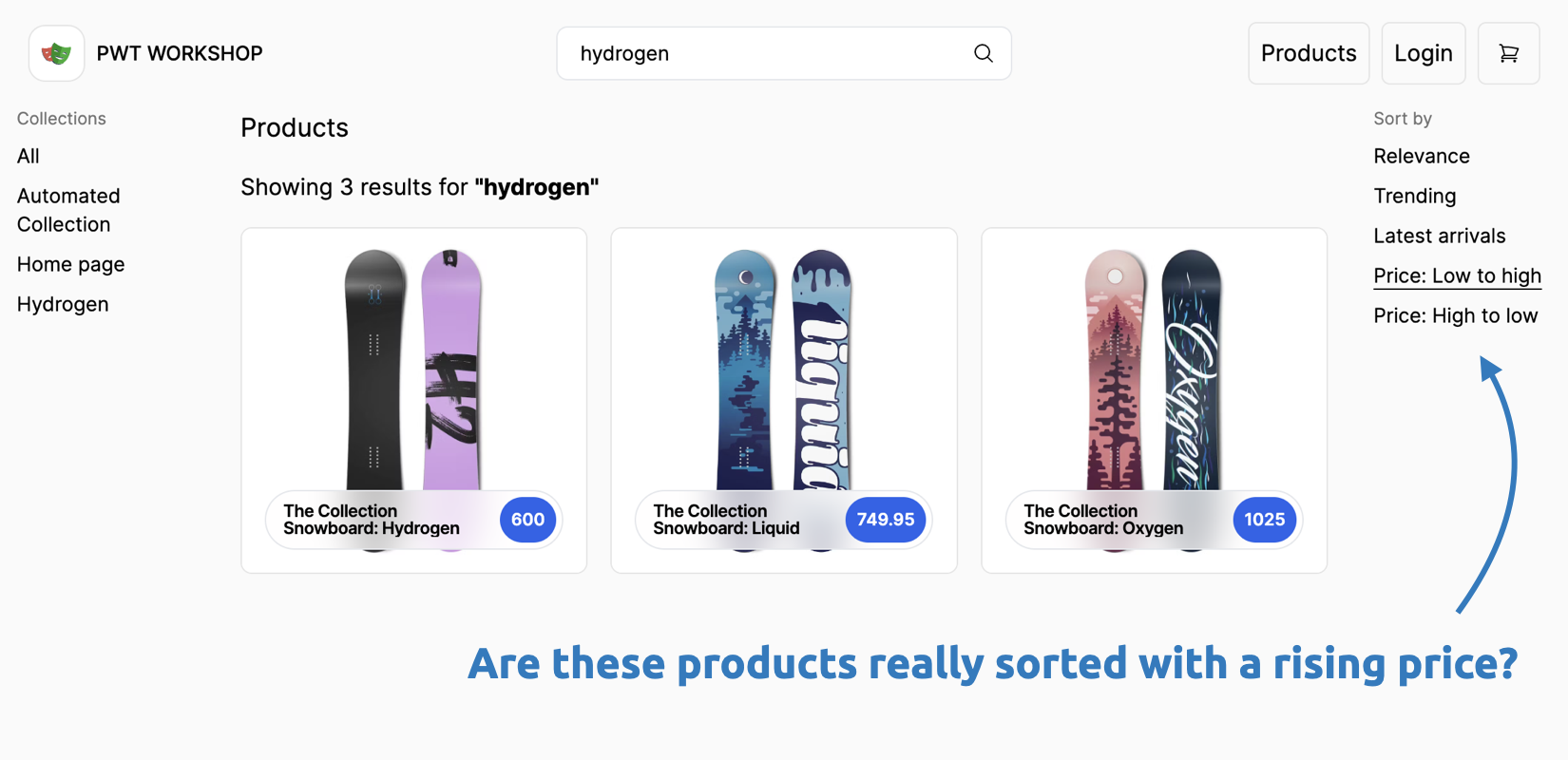
- Click on the top-left Products link.
- Sort the products by price (ascending, then descending).
- Read all visible prices and assert the order is correct using the helpers above.
Here are some helper methods:
const isSortedAsc = (arr) =>
  arr.every((element, index, array) => !index || +array[index - 1] <= +element);
const isSortedDesc = (arr) =>
  arr.every((element, index, array) => !index || +array[index - 1] >= +element);
Validate your add-to-cart flow
- Take your previously recorded add to cart test.
- Read each product's name and price from the product detail page using
innerText. - Assert the cart contains the correct items by name.
- Tip: look out for
data-testidattributes. They make extraction easier.